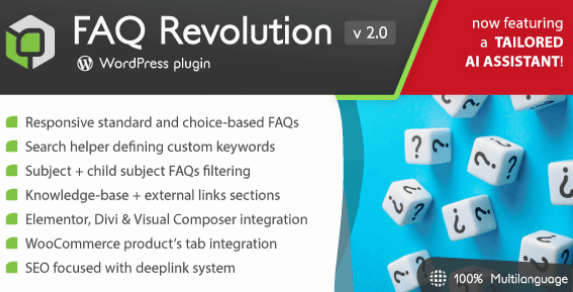
FAQ Revolution
How to revolution WordPress FAQs?
A relevant part of the web is about questions & answers.
Just think about it: how many times do you search for answers?
It’s up to websites answering in the best way possible and give users what they are searching for. Normally FAQ systems are composed by collapsible accordions containing static text, but are they really efficient?
FAQ revolution inherits LCweb support site’s experience (serving more than 49.000 customers since 2015) and makes a step further, introducing new concepts such as semantic search helper and choice-based FAQs.
Plus, it adds a real knowledge-base section to your website. You can link articles as well as external links to each FAQ, creating an unbeatable user experience!
The AI Assistant
Nowadays the word “AI” is everywhere, but did you ever see a WordPress plugin using your contents to create coherent answers?
Yes, exclusively your contents, minimizing hallucinations and composing professional texts: including images, links and code blocks!
Each answer includes a links list of the articles used to compose the answer: everything to give a true, solid, feedback to your users. Finally, the assisstant can be also tuned on specific FAQ Subjects.
FAQs search helper
What really makes the difference is how efficiently you can give users what they are searching for and, in most cases, different users won’t use the same keywords.
By default FAQ Revolution considers FAQ’s title and description, however this might not be enough. Here’s where search helper comes handy:
You can specify extra words to be matched by the plugin, helping different people finding the same answer. Give a try typing “warm” or “freezing“
Choice-based FAQs
Don’t want to lose time selecting images one by one? Global Gallery can create galleries with a single click!
Images will be added automatically, letting you the ability to choose whether display titles, authors and descriptions.
Set images cache refresh interval or just leave it static. Finally, choose where to randomize fetched images!
The search box
FAQs are searched through a responsive box where users have to define the FAQ subject as first filter layer.
In the shortcode (or using builders) you may set a predefined subject and related child-subject.
Finally, decide whether to use the “search mode”: FAQs will be shown only filling the search field.
nowledge-base and External links
A proper knowledge-base section brings two major advantages:
Teaches users about your subjects
Is a great way to increase the website’s SEO score
FAQ Revolution wanted to give you the best also on this side. Not only automatically creating the website’s section but adding game-changer features.
It’s therefore possible to place a tuned AI Assistant on top of articles or also place a dynamically-created sidebar menu, wrapping articles about the same subjects.
Finally, sometimes you may also want to insert external references to existing web pages: the plugin also brings a links database section meant to keep them in the cleanest and quickest way possible!
WooCommerce products tab integration
Do you have a WooCommerce shop?
FAQ Revolution can hook directly into product pages, adding a specific FAQ tab. Help your customers giving tailored contextual answers!
Enable it globally, for targeted categories or single products. Choose different starting or excluded subjects, the flexibility is maximum.
WP builders integration
Stop wondering what hides behind complex shortcodes and start using real-time previews! They are the state-of-the-art of modern wordpress page building, speeding up development.
The plugin natively integrates with Gutenberg, WPBakery Page Builder, Elementor and Divi, to give you the best user experience available today on wordpress.
SEO focused
The whole plugin is designed to give you the maximum SEO score over FAQs and KB articles. Each FAQ has also got its own page you can include into sitemaps to be quickly indexed.
FAQ Revolution gives you the complete control over FAQ, KB and tags URL: this means you can also set their base-URL along with their slug.
Finally, deeplink: you may have multiple “FAQ search” pages where each search step is deeplinked, allowing direct links to be made on the fly!